
Your menu,
one scan away
Build a digital menu or upload your PDF or photos, and change prices any time without reprinting.
Free plan: unlimited static codes and {codes} trackable codes. No card needed.
How it works
From your menu to a code on every table in three steps.
-
Add your menu
Build it with sections, prices, photos and tags, or upload the PDF or photos you already have.
-
Style your code
Add your colours, your logo and a “Scan for menu” frame. The scan check makes sure phones can read it before you print.
-
Print it, then keep it fresh
Put it on tables, the window or the counter. Change a price or mark a dish sold out whenever you like — no reprinting.
Made for menus
What a restaurant, café or food truck needs from a menu QR code.
Three ways to share your menu
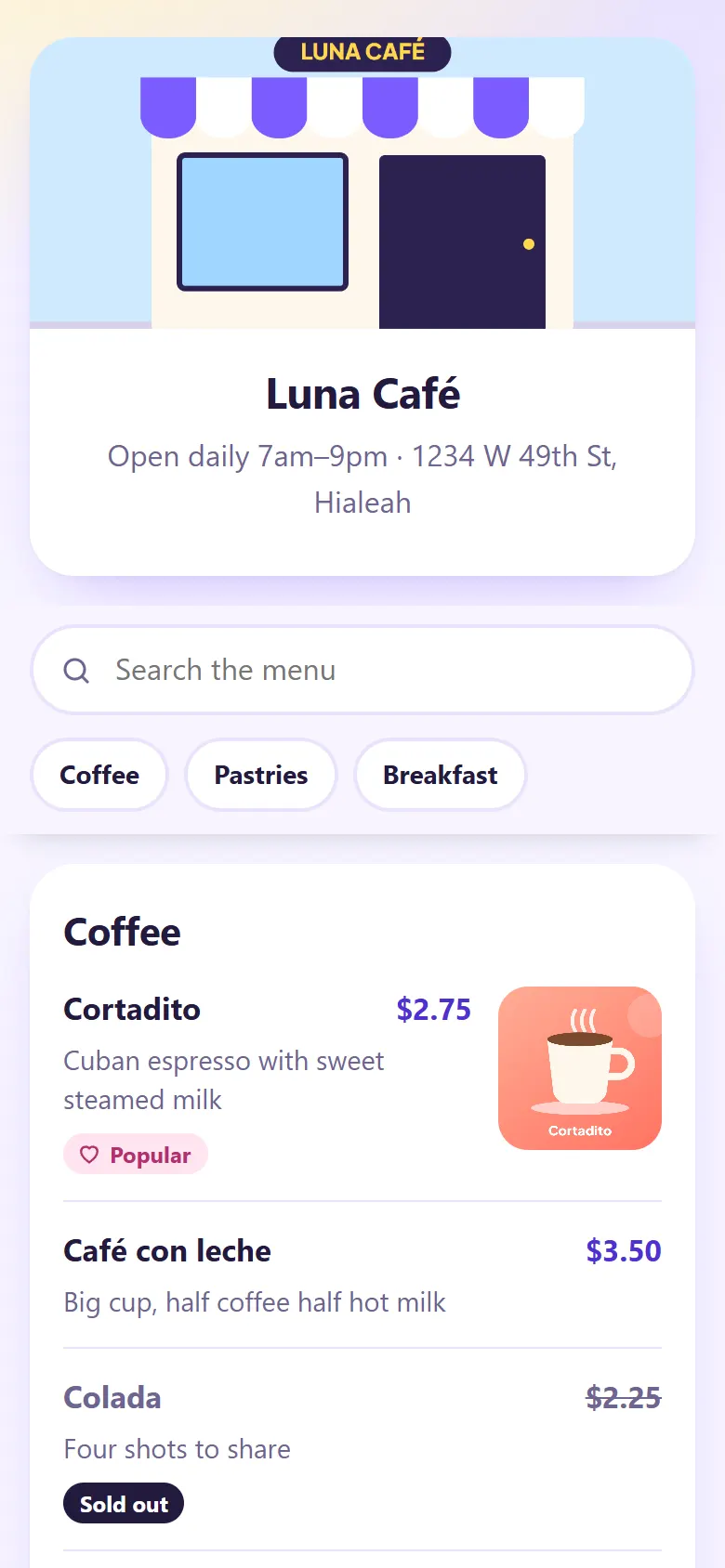
Build a digital menu with sections, prices, photos, tags like “Popular” or “Vegan”, and a “Sold out” label. Or upload your PDF, or photos of the menu you have now.
New prices without reprinting
Menu codes are trackable: edit the menu or swap the file, and every printed code shows the new version. You also see how many people scan it each day.
Ready for the table
“Scan for menu” frames, your colours and your logo. Download a PNG on the Free plan, or SVG and bigger sizes on paid plans for table tents and posters.
In English and Spanish
The menu page shows its buttons and labels in English or Spanish, following each customer's phone. Your dishes appear exactly as you write them.
Start free
The Free plan is enough for a menu code, with no time limit. Premium adds more codes, more scans and more download formats.
Questions
Do my customers need an app?
No. Most phone cameras read QR codes, and your menu opens in the browser.
Can I change prices after printing the code?
Yes. Your menu code is trackable, so edit the menu, swap the PDF or replace the photos whenever you like. The printed code stays the same and shows the new version.
I already have a PDF menu. Can I use it?
Yes. Upload your PDF, or photos of your menu, and the code opens it. You can switch to the menu builder later without changing the printed code.
What happens in a busy month?
Your menu keeps working. The Free plan counts {scans} scans a month; scans after that still open your menu, they just aren't counted in your stats.
Will my Spanish-speaking customers see Spanish?
The menu page's buttons and labels, like search and “Sold out”, show in Spanish or English, following each customer's phone. Your dishes and descriptions appear exactly as you write them.
Is the Free plan enough for one restaurant?
For a menu code, yes. It includes {codes} trackable codes and unlimited static codes, with no time limit, and people who scan never see ads.
Put your menu one scan away
Set it up on the Free plan. No card needed.
Create your free QR code